Ninety-three percent of consumers say online reviews influence their purchase decisions. Of those, a significant portion look not just at the review content, but at how the business responded. A thoughtful reply to a negative review can flip a prospective customer from skeptic to buyer. An ignored negative review signals a business that does not care.
The problem is volume. A restaurant with 200 reviews, a hotel with 800, an e-commerce brand with thousands of product reviews: responding individually, professionally, and promptly to every one is not realistic without help. AI review response generators are purpose-built for this. They take the raw review text, understand its sentiment and content, and produce a professional response that you can publish immediately or refine before posting.
This guide walks through how to use the AI review response tool on ToolForte, what makes a response effective, and how to avoid the most common pitfalls in AI-generated replies.
Why Every Review Needs a Response
Most businesses focus on collecting reviews. Fewer focus on responding to them, and that gap is where a real competitive advantage lives.
The SEO argument
Google's local search ranking algorithm includes review signals as a confirmed ranking factor. Review quantity, recency, and your response rate all contribute to local pack rankings. Businesses that respond to reviews consistently tend to rank higher than those that do not, all else being equal.
Responses also add indexable content to your Google Business Profile. When you reply to a review that mentions 'vegan options' or 'fast delivery,' that text becomes searchable. Over time, a pattern of relevant responses reinforces what your business does.
The trust argument
Prospective customers read review responses. A business that acknowledges a complaint and explains what changed builds more trust than a defensive non-reply, and more trust than the original five-star review does. A bad review handled well is more persuasive than ten good reviews with no engagement.
A 2024 BrightLocal survey found that 89% of consumers read business responses to reviews. Of those, 57% said a thoughtful response to a negative review made them more likely to visit.
The retention argument
Customers who take the time to leave a review, positive or negative, are more engaged than average. Responding to a positive review closes a loop: the reviewer feels seen, which makes them more likely to return and review again.
What Makes a Good Review Response
Before using any AI tool, it helps to understand the principles. Effective review responses share four characteristics.
Acknowledge specifically, not generically. A phrase like 'Thank you for your feedback' applied identically to every review is worse than no response. It signals automation and low effort. Reference something specific from the review: the dish they mentioned, the staff member they named, the aspect of service they praised or criticized.
Match the tone of the reviewer. A formal complaint about a billing error calls for a measured, professional response. A glowing five-star review from an enthusiastic first-time customer can receive something warmer. The AI tone changer is useful here — it can shift a draft response from overly corporate to genuinely warm, or vice versa, without rewriting from scratch.
Keep it short. Review responses are not the place for a 300-word explanation. Two to four sentences for positive reviews, four to six for neutral or negative, and rarely more than that. Lengthy responses on negative reviews can come across as defensive.
Never argue, never deflect. On negative reviews, the worst responses dispute the customer's experience. Even if the review contains inaccuracies, a public review platform is not where you win arguments. Acknowledge, apologize where appropriate, and offer to resolve the issue privately.
How to Use the AI Review Response Tool
The AI review response tool on ToolForte requires no account and works entirely in the browser.
Step-by-step
- Paste the review text into the input field. Include the full text of the review — the AI uses specific details to personalize the response.
- Select the sentiment or star rating if the tool offers it. This primes the response tone: enthusiastic for five-star reviews, empathetic for one-star.
- Add context about your business if the field is available: your business name, the type of business, and any relevant detail (for example, if the reviewer mentioned a long wait during a known busy period).
- Generate the response. Review the output immediately — the first draft is a starting point, not a final product.
- Adjust before posting. Add the reviewer's first name. Swap in specific details from the review. Adjust any phrasing that does not match your brand's voice.
For high-volume workflows that process 50 or 100 reviews at a time, the AI email writer provides additional templates and tone options that complement the review response tool for professional written communication at scale.
Response Templates for Different Review Types
Here are the patterns that work consistently across different review scenarios. Use the AI tool to generate drafts, then shape them against these principles.
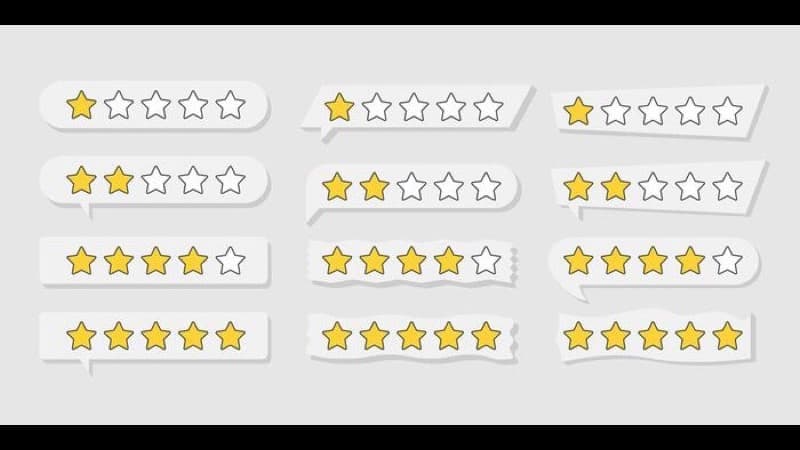
Positive reviews (4 to 5 stars)
The goal: acknowledge, thank specifically, and reinforce something you want associated with your business.
Pattern: thank the reviewer by name, reference the specific thing they praised, express genuine pleasure, then invite them back if it fits naturally.
Example framework: start with the reviewer's name, echo the specific thing they highlighted, add one sentence that reinforces your commitment to that quality, and close warmly.
Negative reviews (1 to 3 stars)
The goal: de-escalate, acknowledge, and take the conversation offline.
Pattern: acknowledge the experience without disputing it, apologize for falling short, give a direct contact to resolve it, and keep it brief.
Example framework: acknowledge that the experience did not reflect what you aim to deliver, apologize genuinely, invite them to contact you directly to resolve the issue, and sign off without defensiveness.
Neutral reviews (3 stars, mixed feedback)
These are the most valuable reviews to respond to. They signal a customer who had a mixed experience and could go either way depending on how you handle the interaction.
Pattern: thank them for the specific positives they mentioned, acknowledge where you fell short, and show what you are doing about it.
Run the AI text analyzer on a batch of neutral reviews to find the most common recurring themes. If the same complaint appears across dozens of reviews, that pattern matters more than any single response and signals a real operational issue worth fixing.
Here are the patterns that work consistently across different review scenarios.
Personalizing AI-Generated Responses
The most common failure mode of AI review responses is generic phrasing that reads as automated. Phrases like 'We value your feedback,' 'We strive for excellence,' and 'Your satisfaction is our top priority' have been applied to so many reviews that they register as noise.
To avoid this, apply these edits to every AI-generated draft before posting:
Add the reviewer's first name. If their profile shows 'Sarah K.,' open with Sarah or close with a personal sign-off. Personalization at this level is one of the highest-leverage edits you can make.
Insert one specific detail from their review. If they mentioned the terrace seating, echo that. If they complained about the checkout process, name it directly. The AI may have done this already. If not, add it manually.
Read the response aloud. If it sounds like it was written by a committee, it reads that way too. Cut what sounds stiff. The AI tone changer can shift a formal draft toward something more conversational without fully rewriting it.
Remove filler phrases. Delete 'We strive to provide excellent service.' Delete 'Your experience is important to us.' Replace them with specifics. Every response should pass a simple test: could this have been written only about this review, for this business? If the answer is no, it needs more work.
Frequently Asked Questions
Do I need to edit every AI-generated response before posting?
For positive five-star reviews with clear specific praise, many businesses post AI drafts with minor adjustments (adding the reviewer's name, correcting any factual details). For any neutral or negative review, always edit before posting — the cost of a tone-deaf public response is high and difficult to undo.
Does responding to reviews help Google rankings?
Yes, according to Google's own guidance on managing your Business Profile. Response rate, review quantity, and review recency all factor into local search rankings. Responding consistently is one of the higher-leverage actions small businesses can take for local SEO without any technical changes.
How quickly should I respond to negative reviews?
Within 24 to 48 hours. Responding within this window signals attentiveness to future customers reading the exchange. After 72 hours, the response still matters — but the window for de-escalating a frustrated customer has likely closed.
What should I never say in a review response?
Never dispute the customer's experience in public. Never mention other customers or staff by name. Never include direct contact information in the response body — instead move to 'please reach out to us at [method].' Never use sarcasm, even if the review appears to be in bad faith.
Can I use the same AI response framework across Google, Yelp, and Tripadvisor?
The principles apply across all platforms. The tone may need minor adjustment. Yelp tends toward a more casual audience than Google, while Tripadvisor responses often skew more formal given its travel context. The AI tone changer is useful for adapting the same base response to different platform registers without fully rewriting it.
### Do I need to edit every AI-generated response before posting.
AI Developer Tools 2026: Tokens, Prompts & Model Selection
Practical guide to AI dev tools: count tokens, compare LLM costs, write better prompts, and manage context windows for production applications.
7 Best AI Content Detection Tools in 2026
Detect AI-generated text fast with these proven tools. Compare accuracy, pricing, and features to pick the right detector for your needs. Free tools included.
LLM Dev Tools: Compare Models, Costs and Tokens
Compare LLM models side by side, calculate API costs, count tokens accurately, format fine-tuning data, and build system prompts for production.