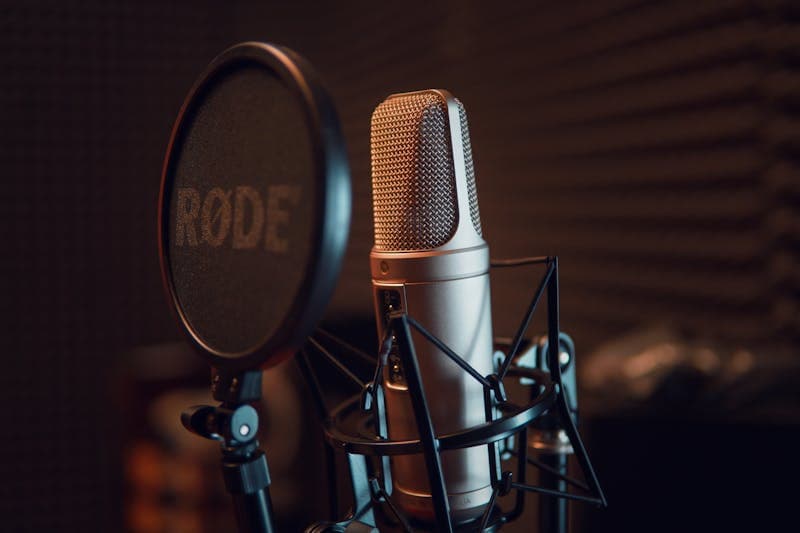
Speech recognition has reached a point where most people assume it just works. You talk to your phone and it types what you said. You ask a smart speaker a question and it understands. Video conferencing tools generate live captions that are mostly correct.
But "mostly correct" is doing a lot of heavy lifting in that sentence. The gap between 95% accuracy and 100% accuracy is huge in practice. At 95% accuracy, a 10-minute meeting transcript contains roughly 50 errors. That is enough to change meanings, miss action items, and force a manual correction pass.
In 2026, the best AI speech recognition models achieve 97 to 99% word accuracy on clean audio in major languages. That sounds impressive until you consider that human transcribers reach 99.5% to 99.8%. The remaining gap is small in percentage terms but real in day-to-day use.
Understanding Word Error Rate (WER)
Word Error Rate is the standard metric for speech recognition accuracy. It measures the percentage of words that are incorrectly transcribed, including substitutions (wrong word), insertions (extra word), and deletions (missing word).
WER = (Substitutions + Insertions + Deletions) / Total Words x 100
A WER of 5% means 5 out of every 100 words are wrong. That is one error per sentence in typical conversational speech.
Context matters enormously. The same model might achieve: - 2% WER on news broadcasts (clear speech, standard vocabulary) - 5% WER on podcast interviews (casual speech, varied topics) - 10% WER on phone calls (compressed audio, background noise) - 20%+ WER on accented speech in noisy environments
When vendors report accuracy numbers, they typically use clean benchmark datasets that represent best-case scenarios. Real-world performance is almost always worse.
For checking how many words are in your transcripts and scripts, the Word Counter gives you instant statistics including word count, character count, and estimated speaking time.

Where Current Models Excel
AI speech recognition handles several scenarios extremely well:
Dictation in quiet environments: speaking clearly into a good microphone produces near-perfect transcription. This use case is largely solved for major languages.
Standard accents in major languages: English, Spanish, Mandarin, Hindi, Arabic, and most European languages have excellent model support. The training data for these languages is vast.
Known vocabulary domains: medical dictation, legal transcription, and technical support calls work well when the model is fine-tuned for domain-specific vocabulary.
Real-time transcription latency: the delay between speech and text has dropped below 200 milliseconds for most cloud-based services. Fast enough for live captioning that feels instant.
Speaker diarization: identifying who said what in a multi-speaker conversation has improved a lot. Most services now distinguish between 2 to 4 speakers with reasonable accuracy.
Whisper and its successors: OpenAI's Whisper model and the models it inspired have democratized high-quality speech recognition. You can run Whisper locally on a laptop and get results that rival cloud services from just a few years ago.
AI speech recognition handles several scenarios extremely well: **Dictation in quiet environments**: speaking clearly into a good microphone produces near-perfect transcription.
The Hard Problems That Remain
Despite the progress, several challenges remain stubbornly difficult:
Heavy accents and dialects: models trained mostly on standard accents struggle with strong regional dialects, code-switching (mixing languages mid-sentence), and non-native speakers. The WER can jump to 15 to 25% for underrepresented accents.
Background noise: construction sites, busy cafes, wind, music playing in the background. Noise cancellation has improved, but recognition accuracy still drops sharply in noisy environments.
Overlapping speech: when two or more people talk simultaneously, models struggle to separate and transcribe both speakers accurately. This is common in meetings, debates, and family conversations.
Homophones and context: "their", "there", and "they're" require contextual understanding that current models handle imperfectly. Similarly, proper nouns, brand names, and technical terms that sound like common words cause frequent errors.
Low-resource languages: of the world's 7,000+ languages, high-quality speech recognition exists for fewer than 100. Languages with limited digital text and audio data remain poorly served.
Emotional and non-standard speech: crying, whispering, shouting, sarcasm, and speech affected by illness or disability all push accuracy down sharply.
Comparing Leading Speech Recognition Services
The competitive landscape in 2026:
Google Cloud Speech-to-Text: strongest multilingual support with 125+ languages. Excellent for real-time streaming transcription. Pricing is per-minute of audio processed.
Amazon Transcribe: good accuracy with strong AWS integration. Offers medical-specific and call analytics models. Competitive pricing for high-volume use cases.
Microsoft Azure Speech: tight integration with Office 365 and Teams. Good speaker diarization and real-time captioning. Strong for enterprise meeting transcription where the model meets Microsoft 365 metadata directly.
OpenAI Whisper (open source): free to run locally. Accuracy rivals commercial services for many languages. No API costs if you have the compute. The trade-off is you manage the infrastructure.
AssemblyAI: focused on developer experience with features like topic detection, sentiment analysis, and auto-chapters built on top of transcription.
Deepgram: emphasizes speed and cost efficiency. Nova-2 model offers good accuracy at lower latency than competitors. Popular for real-time applications.
For most developers building applications with speech input, the Text to Speech tool provides the reverse function, converting text back to spoken audio for testing and prototyping voice interfaces. Run your prompts through the Readability Checker too: clear, short sentences transcribe and synthesise better than dense legalese.
The competitive landscape in 2026: **Google Cloud Speech-to-Text**: strongest multilingual support with 125+ languages.
Improving Accuracy in Your Applications
If you are building an application that uses speech recognition, here are practical steps to improve accuracy:
Use the right model for the domain: general-purpose models work for general speech. But medical, legal, financial, and technical domains have specialized models or custom vocabulary options that dramatically reduce errors on domain-specific terms.
Provide context: many APIs accept a list of expected words or phrases. If your application is a restaurant ordering system, providing the menu items as hints reduces errors on food names.
Request audio quality: if you control the recording, use a good microphone, minimize background noise, and record at 16kHz or higher sample rate. The difference between laptop microphone audio and a headset microphone is enormous.
Post-process with language models: run the raw transcription through a language model to fix obvious errors. A sentence-level spell checker that understands context can catch homophones, missing words, and grammatical errors that the speech model missed.
Human-in-the-loop for critical content: for legal documents, medical records, or published content, have a human review the AI transcription. The AI does 95% of the work; the human catches the errors that matter.
Feedback loops: if your application has users correcting transcription errors, feed those corrections back into your model selection or post-processing pipeline. Patterns in errors reveal systematic weaknesses you can address.
FAQ
Is AI speech recognition better than human transcription?
Not yet in terms of accuracy. Human transcribers achieve 99.5% to 99.8% accuracy on clean audio. The best AI models reach 97 to 99%. However, AI is faster (real-time vs hours of work) and cheaper (pennies per minute vs dollars per minute). For most use cases, the speed and cost advantages outweigh the accuracy gap.
Can speech recognition work offline?
Yes. Models like Whisper can run entirely on a local device without an internet connection. The accuracy is comparable to cloud services for most languages. The trade-off is that your device needs sufficient processing power, and you lose access to cloud-specific features like custom vocabulary and real-time streaming.
How does speech recognition handle multiple languages in one conversation?
Code-switching (mixing languages) remains challenging. Some models support it for common language pairs (English/Spanish, English/Hindi), but accuracy drops compared to monolingual speech. Specify the expected languages when possible to improve results.
Will speech recognition replace typing?
For some use cases, it already has. Dictation on phones, voice assistants, and accessibility tools are all examples. For precise editing, programming, and situations requiring silence, typing remains faster and more practical. The two input methods will likely coexist rather than one replacing the other.
### Is AI speech recognition better than human transcription.
LLM Pricing Comparison 2026: How Much Does AI Really Cost?
LLM pricing compared: GPT-4o, Claude, Gemini, Llama, Mistral, DeepSeek. Cost per million tokens, batch discounts, and budget examples to plan your AI spend.
How to Fine-Tune LLMs: Data Format Guide for 2026
Fine-tuning data format guide for OpenAI, Anthropic, and Google. JSONL examples, validation tips, and best practices for preparing training data.
AI Context Windows and Token Limits Explained
Context window and token limits explained: what they are, how they differ across GPT-4o, Claude, and Gemini, and strategies for managing token constraints.