Two of the more specialised tools on ToolForte are now callable from code: the BRP/GBA test data generator and the UPA file generator. Not a cut-down version of them either. Every slider, dropdown and checkbox on those pages is a field in the request body, and anything you leave out falls back to the same default the page starts with.
This post covers what that changes, with the exact requests, and where the limits are.
The tool page, and what it can set
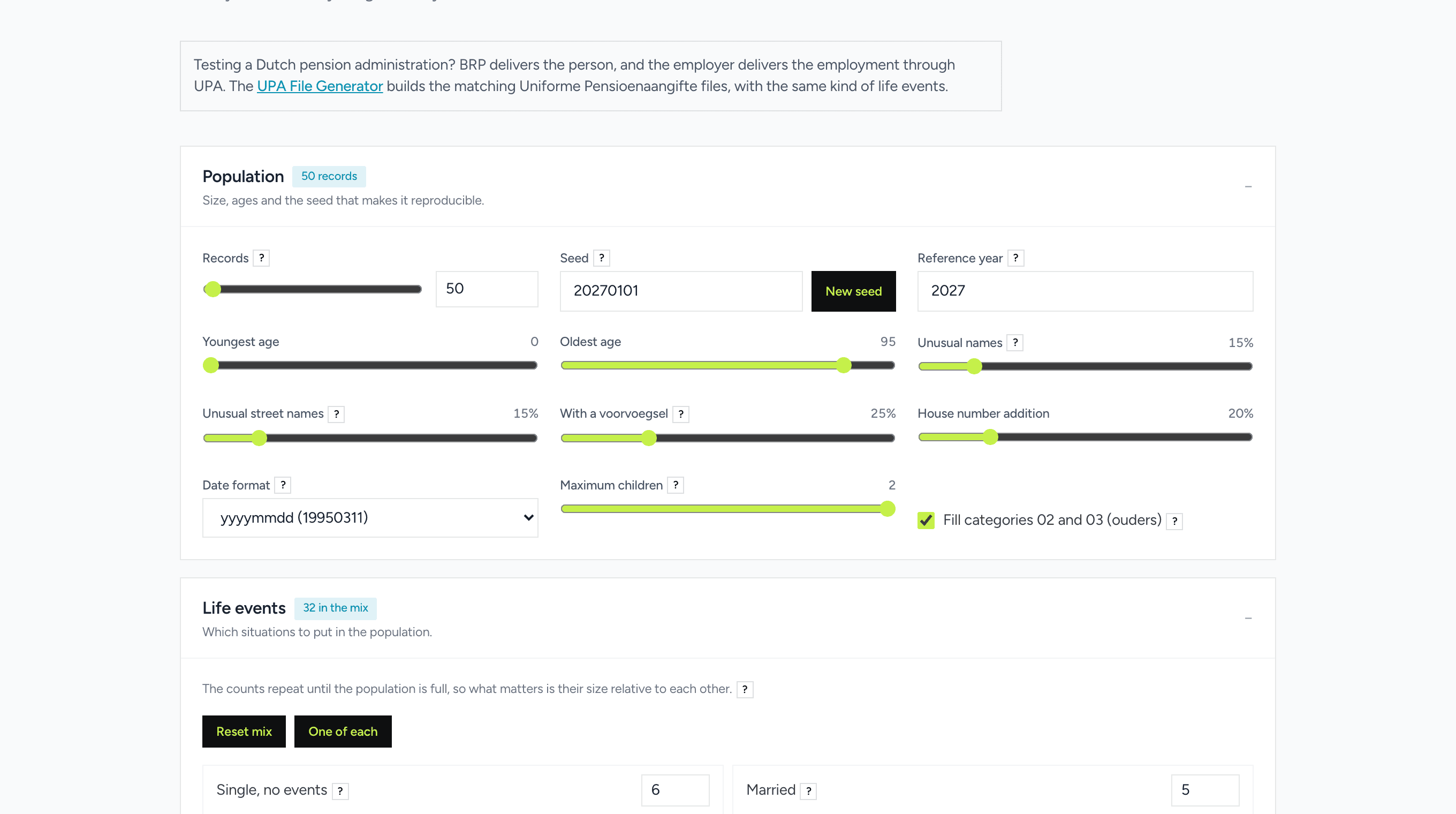
Here is the BRP generator as it looks in a browser. Record count, the seed, the age band, how many unusual names, how many surnames with a tussenvoegsel, how many addresses with a house number addition, and below that a weight per life event.
Every one of those is now a field you can send. The screenshot is worth studying for a moment, because it is also the parameter list.
Three reasons to call it instead of clicking
Test automation. The seed fixes the output. Ask for ten people with seed 42 today and you get the same ten in six months, so an assertion on a specific BSN keeps passing. That is the difference between generated fixtures and a CSV somebody committed in 2024 that slowly stopped matching the schema.
Development and CI. One call fills a database, including the records nobody types by hand: names with diacritics, a person living abroad with no Dutch postcode, an address with a house number addition, someone who died halfway through the period. Those are the rows that break an import, and they are exactly the rows a developer inventing test data will never think of.
Reliable AI output. Ask a language model for Dutch test data and it produces BSNs that look completely convincing and fail the elfproef, because it is guessing nine digits. Over MCP the model calls the generator instead of guessing, so the numbers actually validate. The same is true of UPA XML, which no model can produce correctly from memory.
**Test automation.** The seed fixes the output.
BRP: the requests
The smallest useful request is an empty body. It returns fifty people with the page defaults.
`bash
curl -X POST https://toolforte.com/api/v1/tools/brp-test-data-generator \
-H "Content-Type: application/json" \
-H "X-API-Key: your_api_key_here" \
-d '{}'
`
Something more specific: twenty-five people over sixty, married or widowed, in a fixed set you can reproduce.
`bash
curl -X POST https://toolforte.com/api/v1/tools/brp-test-data-generator \
-H "Content-Type: application/json" \
-H "X-API-Key: your_api_key_here" \
-d '{
"options": {
"count": 25,
"seed": 20270101,
"minAge": 60,
"maxAge": 80,
"referenceYear": 2027,
"eventMix": { "married": 5, "widowed": 3 }
}
}'
`
One detail that matters: naming any life event replaces the whole mix. The request above returns married and widowed people, nothing else. Leave eventMix out entirely and you keep the default spread across all fifteen events. The first version of this endpoint merged your weights into the defaults, which meant asking for widows returned mostly ordinary people. That is the kind of quiet mismatch that makes a generated test set worse than useless, so it was changed.
For a CSV with your own column names, in the delimiter your import expects:
`json
{
"format": "csv",
"options": {
"count": 100,
"outputMode": "own",
"headerRow": "burgerservicenummer;achternaam;geboortedatum",
"delimiter": ";",
"excelHint": true
}
}
`
And "format": "gba-totaalfile" returns the GBA totaalfile layout instead of a readable sheet.
Documentation that cannot drift
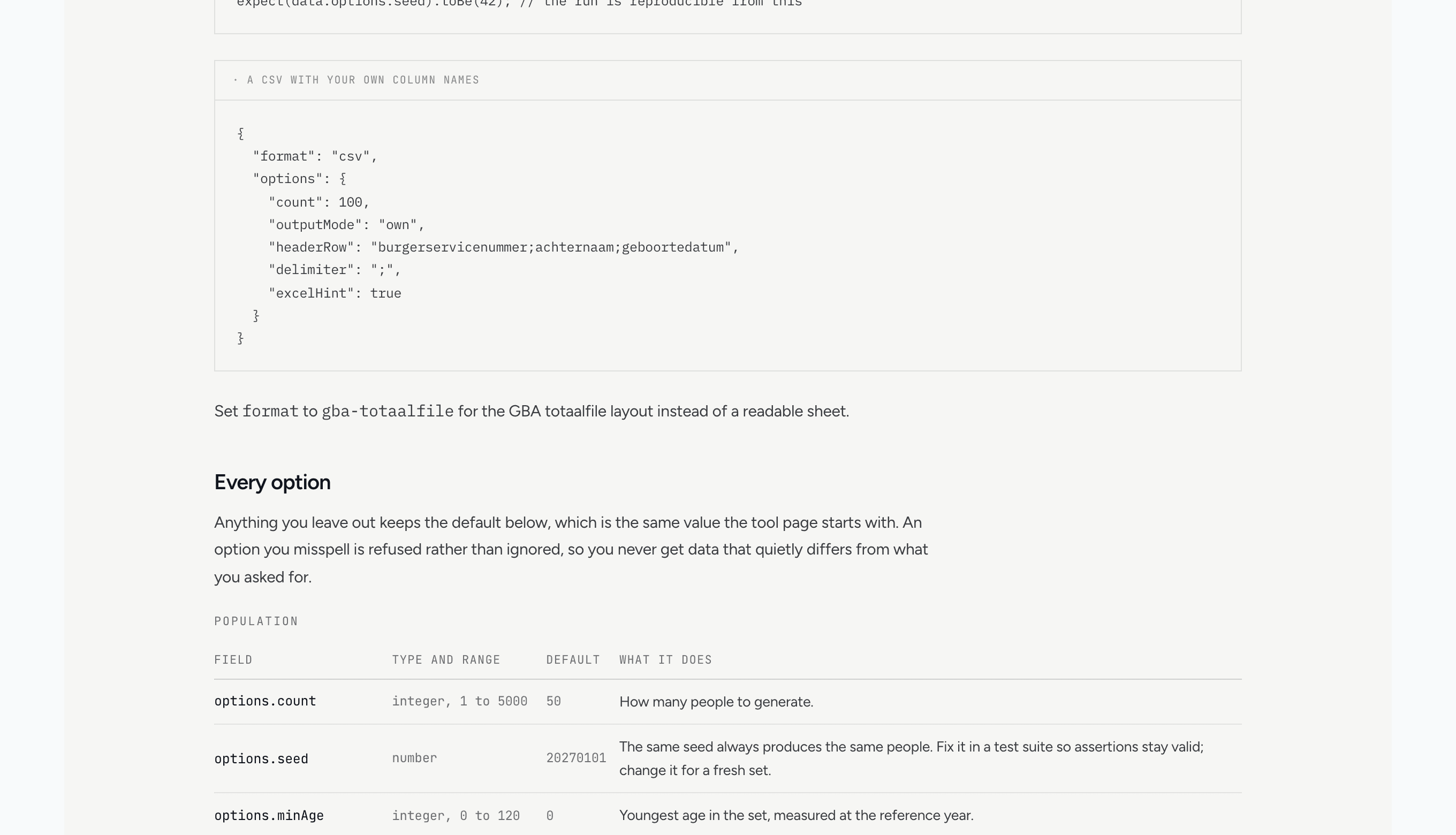
An endpoint with eighteen options is only usable if the reference is exhaustive, and an exhaustive reference maintained by hand is wrong within a month. Somebody widens a range, and the docs still quote the old one.
So the parameters are declared once, in code, and three things read from that single declaration: the validation that runs on your request, the reference table below, and the OpenAPI schema. Change a range and the table changes with it on the next build. Add an option to the generator without describing it and the test suite fails, which is the entire point.
The full reference lives at /developers/generators.
Errors that tell you what to fix
The caller here is a script or an agent, neither of which can see the slider that would have prevented the mistake. So the errors name the field and the allowed values.
`json
// {"options": {"cuont": 10}}
{ "error": "Unknown option: cuont. Valid options: count, seed, minAge, ..." }
// {"options": {"count": 99999}} { "error": "Field options.count must be a whole number between 1 and 5000." }
// {"options": {"eventMix": {"getrouwd": 5}}}
{ "error": "Unknown key \"getrouwd\" in options.eventMix. Valid keys: plain, married, registeredPartnership, ..." }
`
Note that a misspelled option is refused rather than ignored. Ignoring it would hand back data that quietly differs from what was asked for, and you would only find out when a test passed for the wrong reason.
UPA: pension declarations, including broken ones
The UPA generator produces the Uniforme Pensioenaangifte XML that a payroll system sends to a pension administrator. Same approach: every setting on the page is a field.
`bash
curl -X POST https://toolforte.com/api/v1/tools/upa-file-generator \
-H "Content-Type: application/json" \
-H "X-API-Key: your_api_key_here" \
-d '{
"format": "xml",
"options": {
"schemeType": "FPR",
"population": { "count": 50, "seed": 20270101 },
"period": { "startYear": 2027, "startMonth": 1, "months": 3 }
}
}'
`
The part worth knowing about is the defect switches. A test that only ever feeds a system correct files does not tell you whether the system rejects incorrect ones, and rejection is where pension interfaces actually fail.
`json
{
"options": {
"population": { "count": 10 },
"defects": { "invalidBsn": true, "totalsMismatch": true }
}
}
`
The response says so plainly, so nobody mistakes them for a bug in the generator:
`json
{
"warnings": ["2 deliberate defects injected. These files are meant to be rejected."]
}
`
XML gets large quickly. Use "format": "summary" when you only need file names and warnings, which is most of the time in a pipeline.
The UPA generator produces the Uniforme Pensioenaangifte XML that a payroll system sends to a pension administrator.
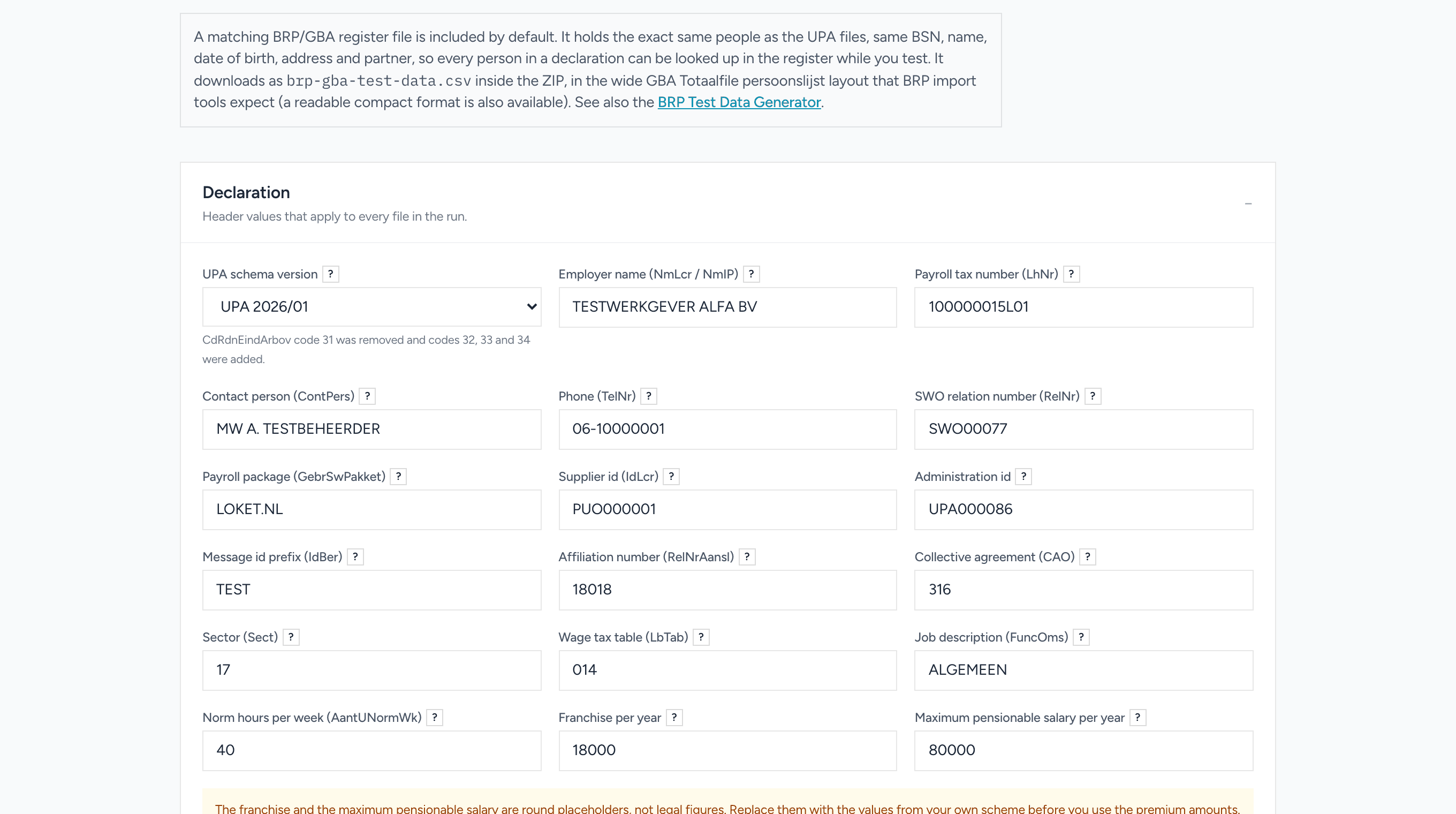
The UPA page, for reference
The tool page carries more configuration than the BRP one: the declaring employer, the scheme rows and their variants, the period type and how files are split. All of it is settable in the request, and the complete default object is printed on the reference page so you can see the exact shape rather than reading a description of it.
From an AI assistant
Both generators are on the ToolForte MCP server as generate_brp_test_data and generate_upa_files. Add the server to Claude, ChatGPT or Cursor and you can ask in plain language:
Generate 10 Dutch test people over 60, half of them widowed, and put them in a CSV I can import.
Make a UPA declaration for 20 employments over 3 months in 2027, and include a file with a mismatched total so I can test the rejection.
The counts are capped lower over MCP than over REST, deliberately. An assistant pays for every token it reads back, so generating five thousand records into a chat window is a waste of money on both sides. For bulk work, ask the assistant to write a script against the REST endpoint instead, which is a thing it is good at.
Both generators are on the [ToolForte MCP server](/mcp) as `generate_brp_test_data` and `generate_upa_files`.
Limits, and what it costs
Five thousand people per call for BRP, ten thousand employments for UPA, the same ceilings the tool pages have. Both endpoints need a free API key, which you can get on the developers page.
The browser versions stay free and unmetered, and they always will. Nothing you can do on the page has been moved behind the API. The API exists because a browser is the wrong place to be when the thing you actually want is a filled database, a CI fixture or a diff against last month's declaration.
Markdown Table Generator: Build Clean Tables Without the Pain
Markdown tables are simple until the pipes and dashes stop lining up. Learn the syntax, alignment tricks, and a free tool that formats tables for you.
CSV to JSON: Convert Spreadsheet Data for APIs and Code
Turn a CSV export into clean JSON for APIs, imports, and scripts. Learn how the conversion works, common pitfalls with types and quotes, and a free tool.
JSON Guide: Format, Validate, and Convert JSON Files
JSON guide for developers: syntax rules, common parse errors, formatting and schema validation, plus how to convert between JSON and CSV files.