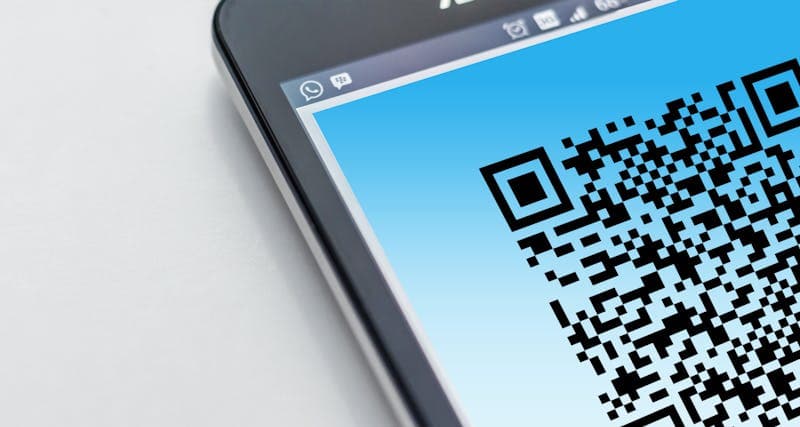
You printed 10,000 flyers with a QR code linking to your website. Three weeks later, traffic is up slightly but you have no idea how much came from the flyers. Were they scanned 50 times or 5,000 times? Which locations performed best? Did scanners actually buy anything after landing on your page?
A plain QR code linking to a URL answers none of these questions. A trackable QR code with proper analytics setup answers all of them. The effort difference is about 5 minutes of setup. The marketing insight difference is enormous.
Static vs Dynamic QR Codes
There are two fundamentally different types of QR codes, and understanding the difference is critical for any business use:
Static QR codes encode a fixed URL directly in the pattern. The URL is baked into the image permanently. If you want to change where it points, you need to generate a new QR code and reprint everything. Static codes work offline (the phone reads the URL from the pattern without hitting a server), but they provide zero analytics.
A QR Code Generator creates static QR codes instantly. These are perfectly fine for permanent links like a Wi-Fi password, a contact card, or a link that will never change.
Dynamic QR codes encode a short redirect URL. When someone scans the code, they hit the redirect server first, which logs the scan and then forwards them to the destination URL. The redirect server records the time, location (approximate, from IP), device type, and operating system.
Because the redirect URL stays the same, you can change the destination without reprinting the QR code. Printed 50,000 menus with a QR code? You can update where it leads without reprinting a single menu.
Dynamic QR codes require a service (Bitly, QR TIGER, Beaconstac, or your own redirect server) and typically cost $5-30/month for business features. The analytics they provide usually justify the cost within the first campaign.
Setting Up UTM Parameters for QR Code Tracking
Even with a static QR code, you can track scans through Google Analytics by adding UTM parameters to your URL:
`
https://yoursite.com/promo?utm_source=flyer&utm_medium=qr&utm_campaign=summer2026&utm_content=storefront
`
Breaking down the parameters: - utm_source: where the QR code is placed (flyer, poster, receipt, menu) - utm_medium: always "qr" for QR codes (distinguishes from email, social, paid) - utm_campaign: the specific campaign name - utm_content: optional, for A/B testing different placements or designs
This works with any analytics platform (Google Analytics, Plausible, Fathom, Matomo). When someone scans the code and lands on your page, the UTM parameters show up in your traffic reports as a distinct traffic source.
Use a URL Encoder if your UTM parameters contain special characters or spaces. Improperly encoded URLs can break when scanned from certain QR code readers.
The limitation of UTM-only tracking is that it only records visits that reach your website. If someone scans the code but their phone fails to load the page (bad connection, wrong redirect), that scan is not recorded. Dynamic QR code services capture the scan at the redirect level, catching more data.
Even with a static QR code, you can track scans through Google Analytics by adding UTM parameters to your URL: ``` https://yoursite.com/promo?utm_source=flyer&utm_medium=qr&utm_campaign=summer2026&utm_content=storefront ``` Breaking down the parameters: - **utm_source**: where the QR code is placed (flyer, poster, receipt, menu) - **utm_medium**: always "qr" for QR codes (distinguishes from email, social, paid) - **utm_campaign**: the specific campaign name - **utm_content**: optional, for A/B testing different placements or designs This works with any analytics platform (Google Analytics, Plausible, Fathom, Matomo).
What QR Code Analytics Can Tell You
A good QR code analytics dashboard reveals patterns that inform better marketing decisions:
Total scans vs unique scans: One person scanning the same code three times is different from three people scanning it once. Unique scans tell you reach. Total scans tell you engagement.
Scan timing: When do people scan your codes? If a restaurant menu QR code sees peak scans at 12:30 PM and 7 PM, that confirms it is being used during meal times. If a poster QR code only gets scans between 8-9 AM, it is catching commuters.
Location data: Approximate location from IP addresses shows which geographic areas respond to your offline marketing. If you placed flyers in five neighborhoods and one generated 10x more scans, focus your next campaign there.
Device breakdown: iOS vs Android percentages help you prioritize platform-specific experiences. If 80% of your scans come from iPhones, make sure your landing page looks perfect on Safari.
Scan-to-conversion rate: By combining QR analytics with website analytics, you can see what percentage of scanners took a desired action (signed up, purchased, booked). This is the metric that determines ROI.
Day of week patterns: Business cards generate consistent weekday scans. Event posters peak around the event date. Product packaging scans are steady. Understanding the pattern helps you plan campaigns.
A Barcode Generator can create traditional barcodes for inventory or product tracking alongside QR codes. Some businesses use both: a barcode for internal tracking and a QR code for customer engagement.
QR Code Design That Gets More Scans
A QR code sitting alone on a page with no context gets fewer scans than one with a clear call to action. People need a reason to pull out their phone.
Always include a call to action: "Scan for 20% off" works better than a QR code with no text. "Scan to see the menu" works better than a mysterious black square. Tell people what they will get.
Size matters: The minimum readable size for a QR code is about 2x2 cm (0.8x0.8 inches) at scanning distance of 15 cm. For posters viewed from a distance, the code should be much larger. The rule of thumb: the scanning distance in centimeters divided by 10 equals the minimum code size in centimeters. A poster viewed from 3 meters needs a code at least 30 cm wide.
Contrast and color: QR codes need strong contrast between the dark modules and the light background. Black on white works best. You can use brand colors but ensure the contrast ratio is high enough. Never use a dark background with light modules (inverted colors) as many phone cameras struggle with this.
Placement: Put QR codes where people can hold their phone steadily for 1-2 seconds. Eye level on a wall is good. On the floor is bad. On a moving vehicle is pointless. Near a counter or table where someone is already standing or sitting works best.
Error correction: QR codes have built-in error correction that allows the code to work even if part of it is damaged or obscured. Higher error correction levels make the code larger but more resilient. For printed materials that might get folded or weathered, use a higher error correction level.
Test before printing: Always scan the QR code from a phone before sending it to print. Print a test page and scan from the expected viewing distance. Small, intricate QR codes with long URLs can fail at distance.

Industry-Specific QR Code Strategies
Restaurants: Table-side QR codes for menus are now standard. Track which items get the most views (if your menu is digital). Add QR codes to receipts linking to a review page. Monitor scan times to understand dining patterns.
Retail: Product tags with QR codes linking to detailed specifications, reviews, or "how to use" videos. Scan analytics reveal which products generate the most curiosity. Combine with coupon codes to track offline-to-online conversion.
Real estate: Property listings with QR codes on "For Sale" signs link to virtual tours, floor plans, or agent contact forms. Track which listings generate the most interest. Use dynamic QR codes so you can update the listing status without replacing the sign.
Events: Conference badges with personal QR codes for networking. Booth displays with QR codes for lead capture. Event programs with QR codes linking to session details and speaker bios. Post-event analytics show which sessions generated the most engagement.
Healthcare: Patient intake forms, prescription information links, appointment scheduling. QR codes in waiting rooms linking to health education materials. Tracking reveals which materials patients actually access.
Manufacturing: Product packaging QR codes linking to manuals, warranty registration, and support. Track scan rates across product lines to identify which products need better documentation or have common issues.
For any industry, the pattern is the same: put a QR code where the customer has a natural question, link to the answer, and track whether people actually scan it.
Building a QR Code Campaign From Scratch
A step-by-step approach for your first trackable QR code campaign:
1. Define the goal: What action do you want the scanner to take? Visit a page, redeem a coupon, fill out a form, download an app? The destination page must be optimized for this specific action.
2. Create the landing page: Mobile-first since 95%+ of QR scans come from phones. Fast loading (under 3 seconds). Clear call to action above the fold. No login required.
3. Set up tracking: Add UTM parameters to the URL. If using a dynamic QR code service, configure event tracking to capture scans, unique visitors, and conversions.
4. Generate the QR code: Create the code with appropriate error correction and size. If using dynamic codes, set up the redirect through your analytics service.
5. Design the placement: Include a call to action, ensure the code is large enough, and test readability from the expected scanning distance.
6. Launch and monitor: Deploy the QR codes and check analytics daily for the first week. Look for unexpected patterns (zero scans from a location means the placement is wrong or the codes are not visible).
7. Iterate: After 2-4 weeks, review the data. Which placements performed best? What time of day generates the most scans? What is the scan-to-conversion rate? Use these insights to adjust the next campaign.
Keep the campaign URL short. Longer URLs create denser QR codes with more modules, which are harder to scan at small sizes or from a distance.
A step-by-step approach for your first trackable QR code campaign: **1.
FAQ
How long do QR codes last? Do they expire?
Static QR codes never expire. The URL is encoded in the image permanently. As long as the destination URL works, the QR code works. Dynamic QR codes depend on the redirect service staying active. If you cancel your subscription or the service shuts down, the redirect breaks. For permanent installations (product packaging, signage), static codes are safer.
Can I track QR code scans without a paid service?
Yes. Use UTM parameters on your URL and monitor traffic in your free analytics tool (Google Analytics, Plausible, etc.). You will not get scan-level data (location, device from the QR scan itself), but you will see how many people reached your page through the QR code link. For basic tracking, this is sufficient.
What is the maximum amount of data a QR code can store?
A QR code can store up to approximately 3,000 alphanumeric characters. However, longer data creates denser codes that are harder to scan, especially at small sizes. For URLs, keep them under 100 characters. Use URL shorteners or dynamic QR codes for long URLs.
Are there privacy concerns with QR code tracking?
Dynamic QR code services collect IP addresses and device information from scanners, which falls under GDPR and similar privacy regulations. If you operate in the EU, your QR code landing page should include a privacy notice. The tracking is comparable to standard website analytics, so the same privacy policies that cover your website generally cover QR code tracking.
Meeting Cost Calculator: What Your Meetings Really Cost
A recurring meeting can burn thousands per year in salary time. Learn how to price meetings, spot the expensive ones, and cut waste with a free calculator.
QR Code Maken: Gratis Gids voor Elke Toepassing
Maak gratis QR codes voor je bedrijf, visitekaartjes, WiFi en marketingcampagnes. Met tips voor design, de juiste formaten en het meten van scans.
Build a Faster Workflow Using Only Browser Tools
Five step-by-step browser workflows for image optimization, SEO checks, PDF processing, and invoicing. No installs, no uploads, no app switching.