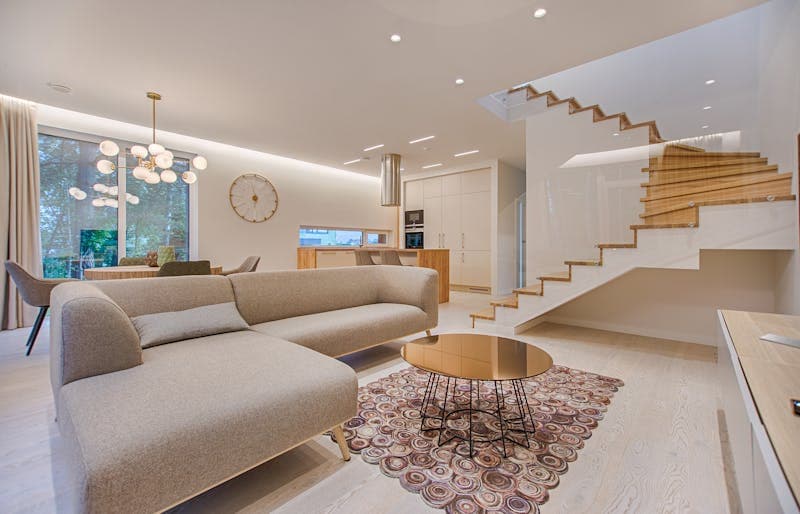
An interior designer costs from a thousand euros a room. Buying the sofa and hoping costs more when it is wrong. The AI room tools sit in between: upload a photo of the room you have, name a style, and a minute later you are looking at a photoreal version of it in Scandinavian, industrial or mid-century, before you have bought anything.
This post covers which tools render your actual room rather than a generic one, what the render is reliable for and what it invents, and how to get from a picture you like to a list of things you can order.
How the tools work, and where they stop
- Upload a photo. Daylight, wide angle, the whole room in frame. A dark, cropped photo produces a dark, cropped render.
- The model reads the room. Walls, floor, windows, doors and the existing furniture become a rough spatial model.
- You pick a style, from a list or in a sentence.
- It generates a new version with different furniture, colours and materials on the same geometry.
- You iterate. "Darker sofa", "more plants", "wooden floor instead of the carpet", and regenerate.
The model is good at the overall picture: colours that work together, furniture at a believable scale, one consistent style. It is bad at two things that matter when you spend money. The sofa in the render is not a product anyone sells, and the dimensions are plausible rather than measured. Small, oddly shaped or dark rooms make both problems worse.
When a wall colour in the render looks right, drop the image into the image colour extractor and take the hex codes to the paint shop. Paint mixers work from a code, and that one step is where a render first becomes a purchase.
The tools, and which ones render your room
RoomGPT and Interior AI are the simplest: photo in, style picked, redesign out. Free tiers with a handful of generations, paid for more. Best for finding out what you like in ten minutes.
Planner 5D is a floor planner first, with 2D and 3D layouts you draw to measurements, plus AI suggestions. Slower to start, and the only one here where the dimensions are yours rather than the model's.
Homestyler is a web planner with AI rendering and a catalogue of real products, so the render can end in a shopping list.
Havenly puts a human designer behind the AI concepts, from about a hundred dollars a room. The result is a layout with furniture you can actually buy, which none of the pure AI tools promise.
DecorMatters is augmented reality: it drops virtual furniture into the live camera view of your room. Good for one piece at a time, weak for a whole-room redesign.
ChatGPT, Gemini or Claude with image generation make mood boards and can talk through a style, but they do not hold your room's geometry the way the dedicated tools do.
I would start with RoomGPT or Interior AI because they render the room you have. When the question turns from "what do I like" to "does it fit", move to Planner 5D or Homestyler.
What to take from a render, and what to ignore
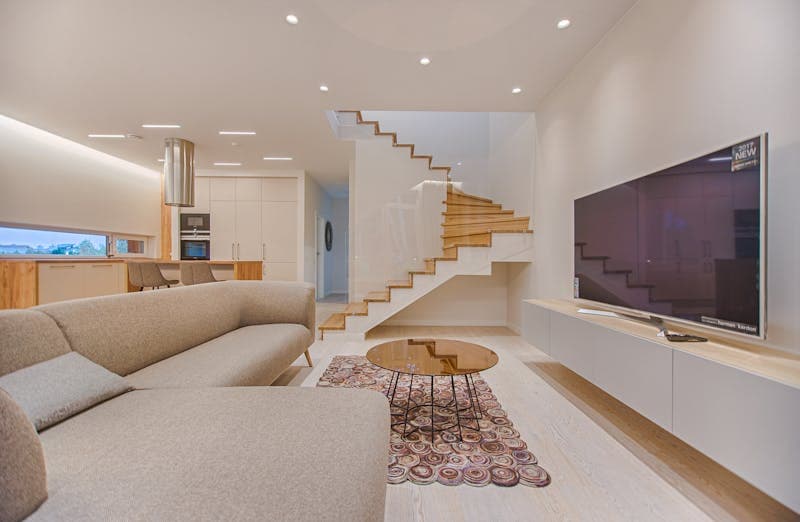
Treat the render as an idea generator, not a plan.
- Colour. The model pairs colours you would not have tried. Generate ten variations, keep the three palettes that feel right, and those are your paint and fabric starting points.
- Scale. If the render looks good with a large corner sofa, the room can probably carry that size. If it looks crowded in the render, it will be worse in real life. Scale down before you buy.
- Light. The renders add floor lamps, table lamps and a pendant in places you had not considered. Lighting is the cheapest change with the biggest effect, and the model is good at placing it.
- Materials. Velvet next to jute next to oak. Copy the relationships, not the products.
Ignore the product itself (invented), the exact dimensions (measure), and anything structural. The model has no idea which wall is load-bearing and will cheerfully remove one.
Export the variations at the same size through the image resizer before you compare them. Ten renders at ten different sizes are hard to judge side by side.
From render to shopping list in six steps
- List the pieces. Five to seven items with style, colour and rough size. "Low oak sideboard, about 160 cm, dark green wall behind it."
- Reverse-search each one. Screenshot the item and put it through Google Lens, Pinterest Lens or a retailer's image search. A real product close to the render usually appears in the first row.
- Lock the palette. Three to five hex codes from the render. Anything you buy has to sit inside them.
- Place the real product in the real room. The retailer's AR (IKEA Kreativ inside the IKEA app, Amazon's View in Your Room, Wayfair's room planner) puts the actual product at the actual size in your camera view. This is where the 20 cm that did not fit shows up.
- Order samples first. Paint swatches, fabric samples, one cushion. Colours shift with the light in your room in ways the render does not show.
- Buy in phases. Paint, sofa and rug first, the pieces with the biggest effect. Accessories later, once the big three are in and you can see what the room still needs.
FAQ
How accurate are the renders?
Right for colour, scale and atmosphere. Wrong for dimensions. The rendered sofa can be 20 cm wider than the space, so measure the room and check every product's dimensions before ordering.
Do they work for small rooms?
Less well. The model tends to place furniture the room cannot hold. Use the render for colour and style, then do the layout in a 2D planner with real measurements.
How much does it save against a designer?
A designer is from a thousand to several thousand euros a room. The AI tools are free to a few tens of euros a month. For paint, furniture and accessories, the tools plus the six steps above are enough. For anything involving a wall coming out or a contractor, hire the person. The render will not manage the builder.
Can it keep the furniture I already have?
Some tools support masking ("keep the bookcase, change the rest"). Others replace everything. A text instruction like "keep the wooden floor and the grey sofa" works with the general image models more reliably than with the dedicated room tools. Check the feature list before paying for a month.
AI Code Review Tools Compared: What They Catch, and How to Measure It Yourself
GitHub Copilot, CodeRabbit, Sourcery, Qodana, Claude Code and the newer PR bots: what each one actually does, why published detection rates deserve suspicion, and the seeded-defect test I would run before paying for any of them.
AI Caption Generators: The Sixty-Second Edit That Makes a Caption Worth Posting
A caption generator returns something postable-looking in five seconds and something postable after a minute of editing. What the generators are actually doing, what changes per platform, the five edits that take the machine out of the text, and why a saved prompt beats most paid tools.
AI Color Palette Generators: Build Palettes From Text
Use AI to generate color palettes from text prompts and mood inputs. Compare top free palette generators, learn color theory, and find Coolors alternatives.
AI Logo Generators: What They Get You, and the Two Things You Still Do by Hand
A generator gives you fifty logo concepts in ten minutes and a PNG you cannot put on a sign. The lettering and the vector file are still your job. Which tool to use for what in 2026, the route from prompt to favicon, and what a trademark does and does not need.